In this BNBForms review, I’m looking at a few important questions that property owners, property managers, and even developers or designers building accommodation websites usually want answered when choosing a direct booking solution: will this work for my needs?
BNBFoms is often referred to with various terms: a short-term rental booking software, a hotel booking engine, a vacation rental booking widget, and sometimes even a PMS or a booking form. So what is true for it? Where does this bed and breakfast software have real strengths? Can you use it for your site?
I will try to answer these questions!
Moreover, after testing and reviewing BNBForms, I wanted to start with the conclusions rather than a standard feature list to fulfil exactly this goal in detail… does it fit your scenario?
So, before getting into individual tools and settings, I highlight what BNBForms is and what it is not + five real-life scenarios where I think BNBForms is a really good match, with details – along with a few situations where its limitations are worth keeping in mind.
Let’s Clarify: What BNBForms Is – and What It Is Not
That’s what I wanted to clarify for myself first… BNBForms often appears across several categories of vacation rental software, which may seem a little confusing.
It has property management features, OTA synchronization, guest messaging, payments, and a hosted booking page. But these features all exist around one central purpose: helping accommodation businesses accept direct bookings. So I decided to highlight key features and niches and try to define where BNBForms as a bed and breakfast software fits really well.
BNBForms is a booking engine: definitely yes
BNBForms fits perfectly here.
Yes, BNBForms is a booking engine, booking widget, reservation form, or embeddable vacation rental booking system designed specifically for accommodation businesses with check-in and check-out dates. Big check here!
It is made for typical overnight stays rather than hourly appointment bookings. Think vacation rentals, B&Bs, farm stays, campsites and glamping properties, inns, villas, guesthouses, and hotels with multiple accommodations.
You can manage unlimited accommodations and bookings, so the scale itself is not really the deciding factor. It can work for an independent B&B owner renting out one room, but it can also work for a company operating dozens or even 100 villas under the same management.
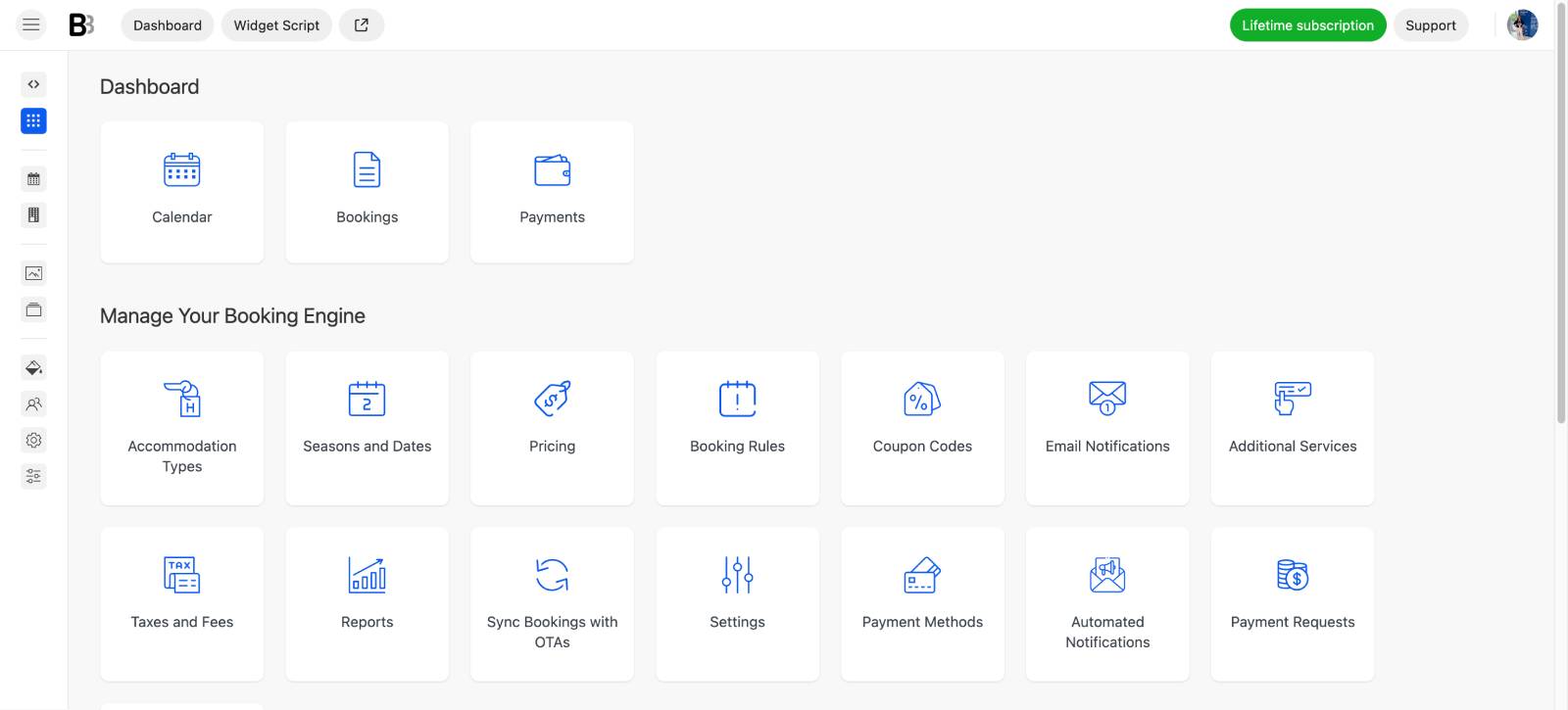
The back office is where you configure everything that eventually appears or affects the booking experience: availability, rates, seasonal pricing, booking rules, extras, services, payments, property information, and other settings.
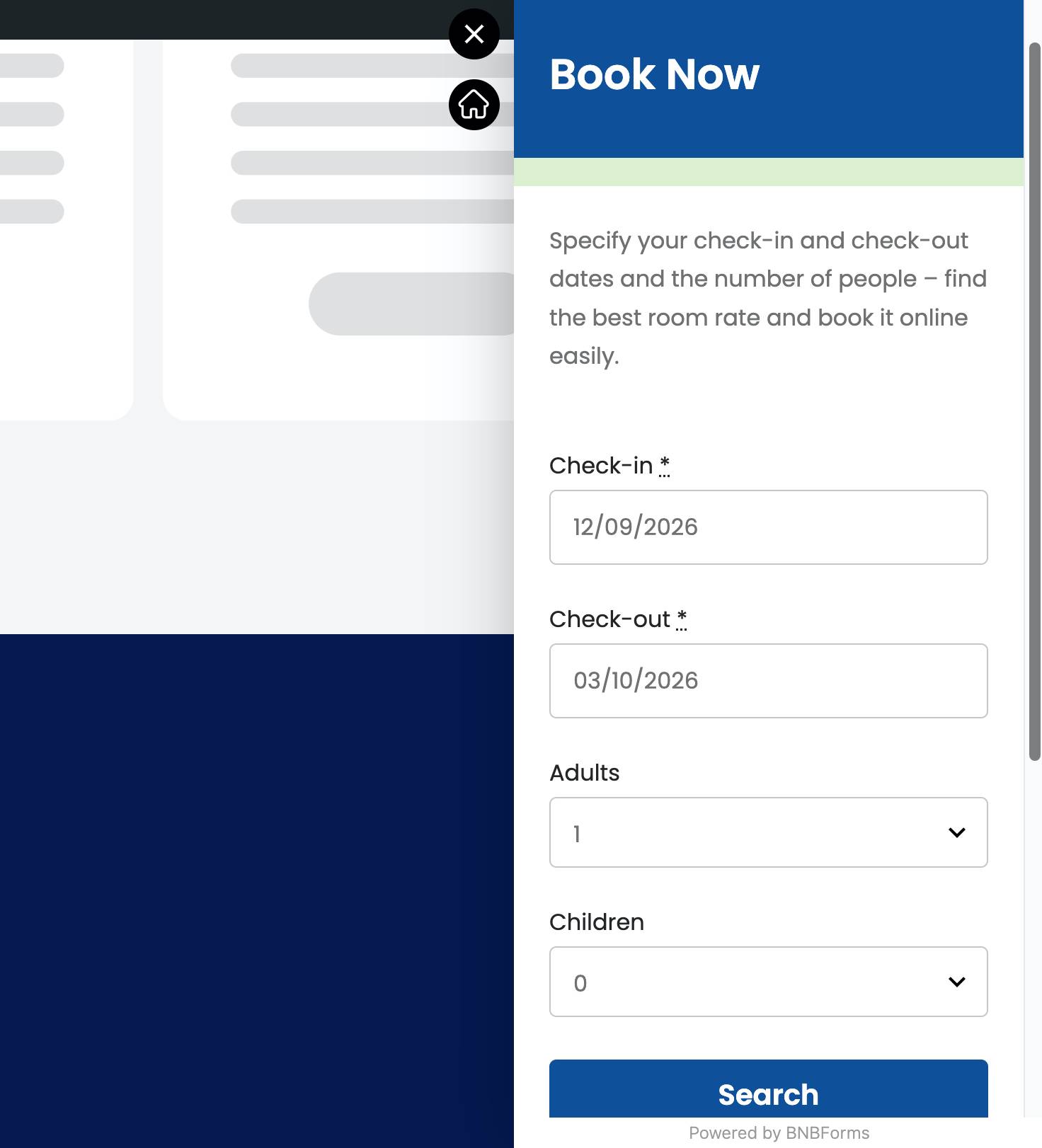
The booking widget is the customer-facing result of all this configuration. You can then embed it into your website and give guests real-time availability, pricing, extras, payments, and an actual checkout process.
Verdict: Yes, this is exactly what BNBForms is built for.
BNBForms is a website builder: no
BNBForms does not build your website.
There are no complete vacation rental website templates, visual page-building tools, blog features, or other functionality you would normally expect from WordPress, Wix, Squarespace, Webflow, or another website builder.
You can customize the booking form itself to some extent, including its appearance and dimensions, but that is very different from designing an entire website.
There is one useful middle ground: you don’t technically need a website to use BNBForms. It can provide a hosted booking page on the BNBForms domain, which you can share directly with guests.
So you can accept direct bookings without building your own site, but BNBForms itself does not become a website builder because of that.
Verdict: No – bring your own website builder, or use the hosted booking page instead.
BNBForms is a channel manager: partially
Yes and no.
Obviosouly, BNBForms can synchronize availability with platforms such as Airbnb, Booking.com, and other services. This is what channel managers do. However, the difference is, BNBForms does this only for websites that support iCal.
You exchange calendar links between BNBForms and the external platform, and the systems use them to keep booked dates synchronized.
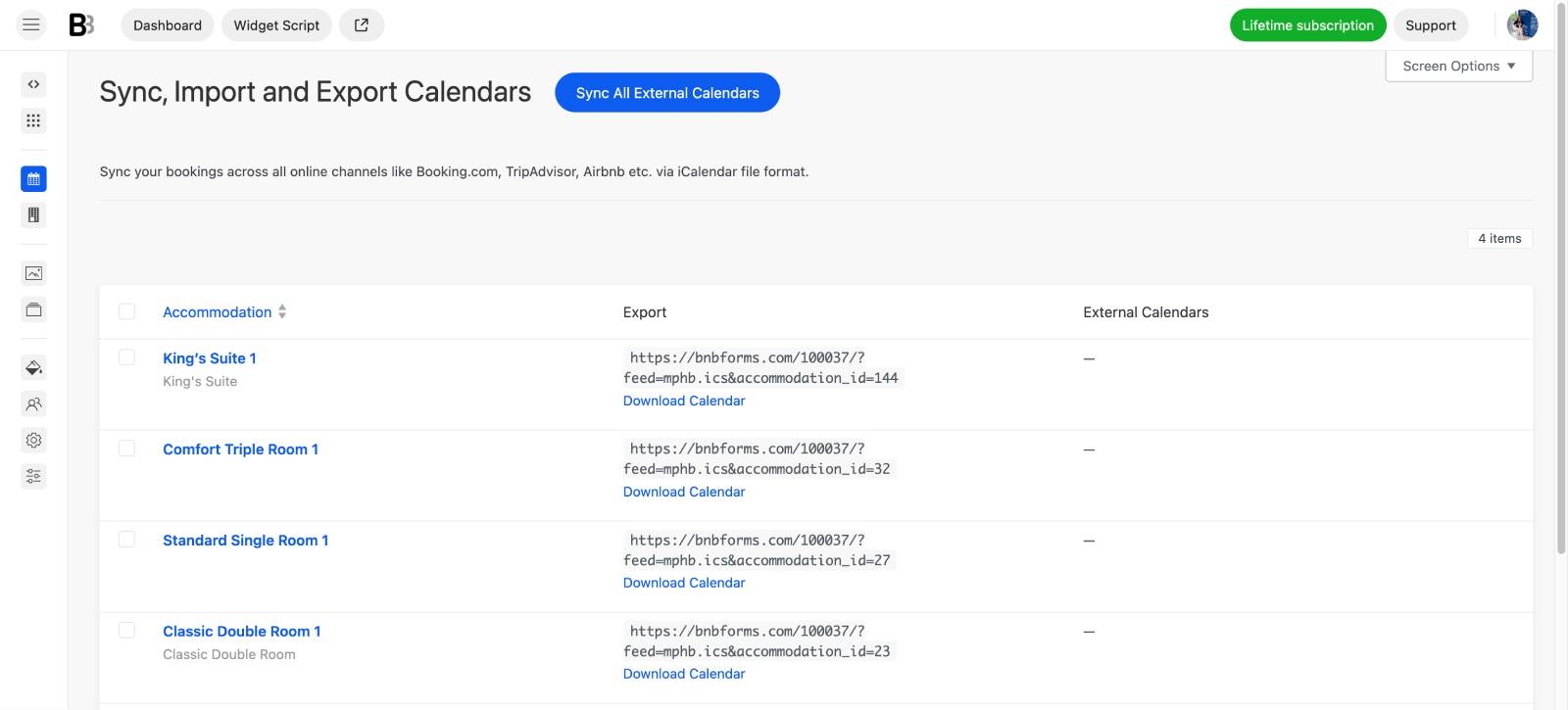
It works, it is relatively simple, and iCal synchronization itself doesn’t require an additional channel manager subscription.
But this is not the same thing as a full API-based channel manager.
A dedicated channel manager normally aims to centralize much more than availability: prices, restrictions, minimum stays, inventory, reservations, and sometimes listing content across multiple OTAs.
BNBForms mainly uses iCal synchronization to help prevent overlapping bookings. Your rates and other listing information are not deeply synchronized across every external channel from one central BNBForms dashboard.
So if your definition of a channel manager is simply “can my direct booking calendar exchange availability with Airbnb and Booking.com?”, then yes, BNBForms covers that need. The sync is free and almost real-time, which is also cool.
If your definition is “I want one powerful distribution dashboard controlling every OTA in real time,” then no.
Verdict: Partially – useful iCal synchronization, but not a full-scale channel manager.
BNBForms is a PMS: partially, but that is not its main job
What’s the situation with the term ‘property management system’?
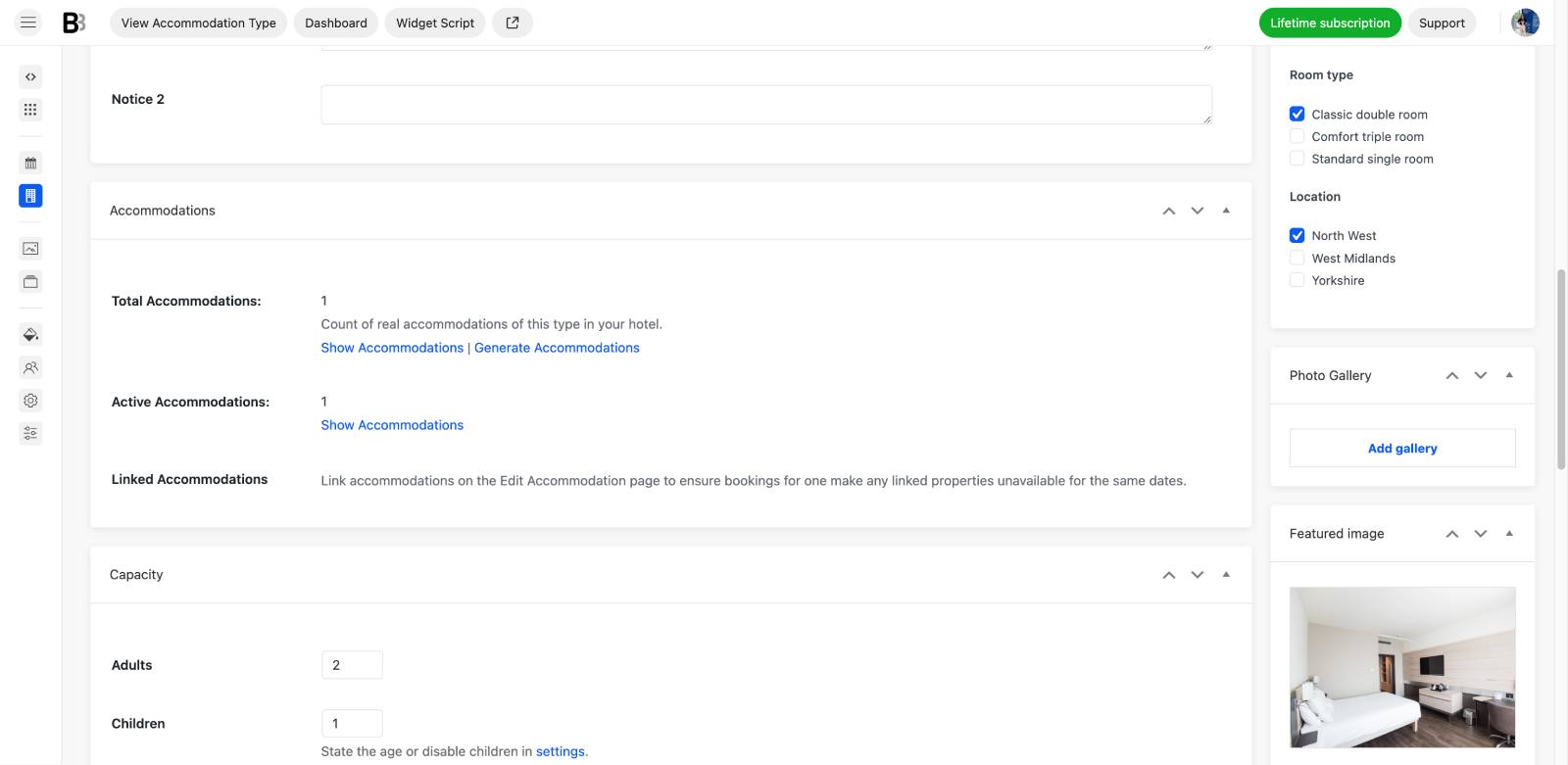
BNBForms certainly has a property management back office. You add accommodations, descriptions, images, amenities, prices, availability, services, booking rules, payments, reservations, and other property information there.
In that sense, you are obviously managing properties. You may have even thousands of them (for the same BNBForms subscription cost!).
But the difference is why all this information is being managed.
In BNBForms, properties are primarily configured so that they can be properly displayed, priced, and booked through your direct booking engine.
A traditional PMS goes much further. It may become the central operational system where reservations from multiple distribution channels come together alongside housekeeping, staff workflows, owner reporting, operational tasks, accounting, and other property management functions.
BNBForms is not that kind of system.
So, rather than thinking of it as a full PMS, I would describe it as a booking engine with a fairly capable property and reservation management back office.
Verdict: Partially – it manages the properties needed for direct bookings, but it isn’t a full operational PMS.
BNBForms is guest messaging software: yes as part of the booking engine, no as a standalone service
Guest communication is another area where BNBForms has quite a lot of functionality.
You can automate messages around the booking journey, including reservation updates, payment-related emails, payment links, pre-arrival or post-stay communication, review requests, and other messages triggered at specific points.
So, yes, automated guest messaging is genuinely part of BNBForms.
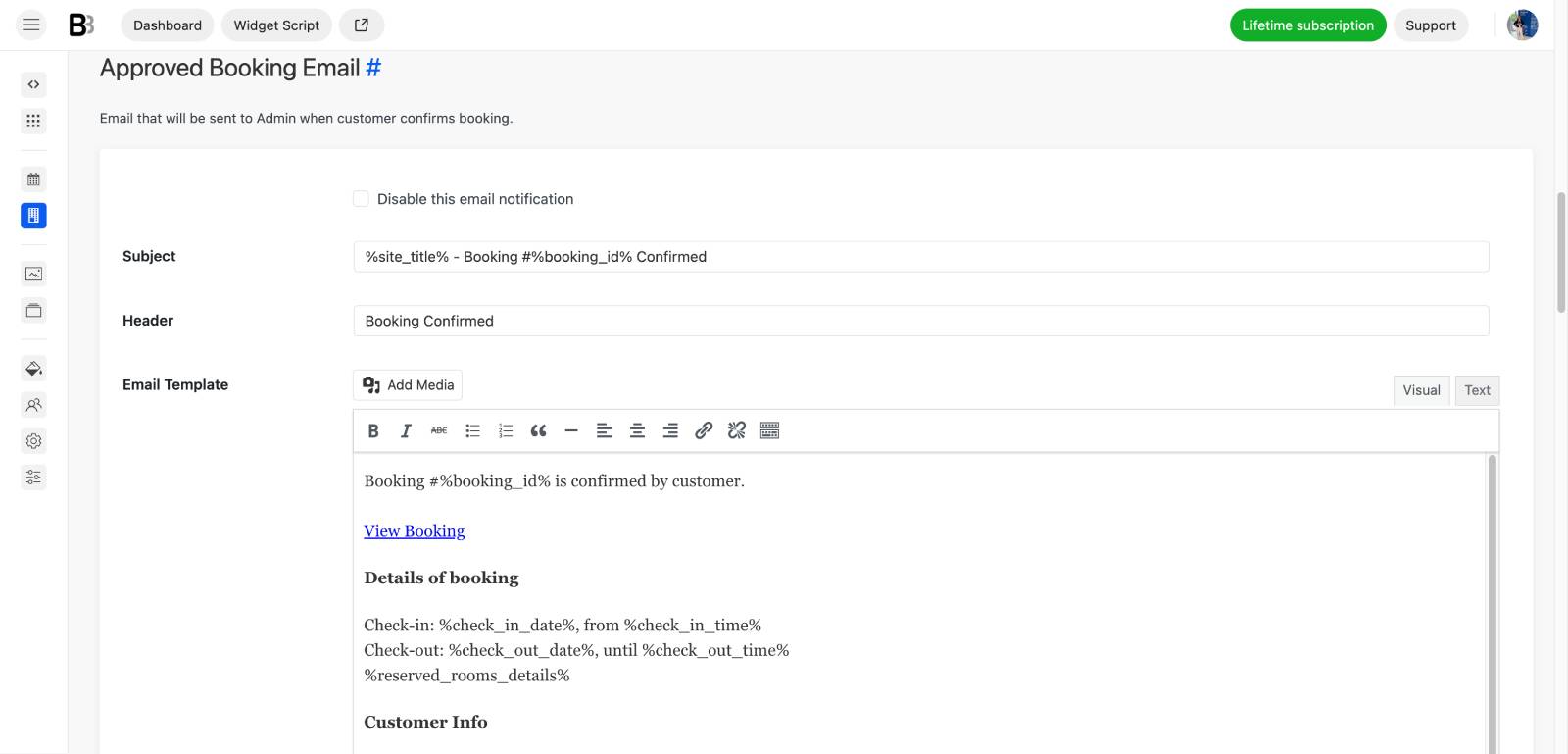
The distinction is that messaging isn’t a separate product sitting alongside the booking engine.
It is tied to reservations and the guest journey happening inside BNBForms. You wouldn’t normally subscribe to BNBForms purely as a standalone guest messaging platform and connect it to an unrelated booking system.
Its messaging tools are there to automate communication generated by the direct booking process.
Verdict: Yes – as a booking-engine feature. No – as standalone guest messaging software.
So, what is BNBForms?
If I had to put BNBForms into one category only, I would call it a direct booking engine for vacation rentals and accommodation businesses.
Everything else supports this conclusion:
- Booking engine / booking widget: Yes
- Embeddable reservation form: Yes
- Hosted direct booking page: Yes
- Website builder: No
- Channel manager: Partially, through iCal availability sync (but this may change as I’ve heard)
- PMS: Partially, mainly for managing what is needed for direct bookings
- Guest messaging: Yes, within the booking workflow
- Standalone guest messaging platform: No.
Overall, BNBForms as a short-term rental reservation software gives accommodation businesses the tools they need to sell stays directly.
So, who are BNBForms’ real competitors?
When you try to find the best alternative or competitor to BNBForms, it really depends on which part of the software you actually need.
If you just need to add a direct booking engine to an existing website, then platforms like Lodgify or Guesty can overlap with BNBForms. In that comparison, BNBForms is more simple and affordable because you are paying primarily for the booking functionality.
But if what you need is a website builder plus a booking engine, then the comparison changes. Lodgify provides website building functionality that BNBForms simply doesn’t offer, so they are no longer direct competitors feature for feature.
The same with Smoobu. There are plenty of similarities in direct bookings, property setup, reservations, and related tools, but Smoobu also extends further into areas such as channel management and website building. BNBForms competes with it well when you isolate the direct booking part, but not necessarily as an entire software package.
If you want the closest apples-to-apples comparison, look primarily at embeddable vacation rental booking engines, booking widgets, and availability calendars, such as RentalBeam and similar tools.
So, the “best BNBForms competitor” depends less on the brand and more on the job you expect the software to perform.
5 Real-Life Scenarios for Using BNBForms
Now, those scenarios I promised (based on the benefits presented on the site and the features that were available in my account).
1. You already have a website and simply need to add direct bookings
I think this is the most straightforward BNBForms scenario. To be more precise…
You already have a website. It might be a small AI-generated site, a simple website builder-based project, or a completely custom, professionally developed website. What you are missing is the actual booking functionality, which is quite often not provided with the site builder itself (or provided but not functional enough).
With BNBForms, you create your properties, availability, rates, booking rules, payments, guest notifications, and other booking settings separately, and then embed the resulting booking widget into your existing site. This works really smoothly. You can also make basic visual adjustments, such as matching the colors or changing the widget width so it fits the website better.
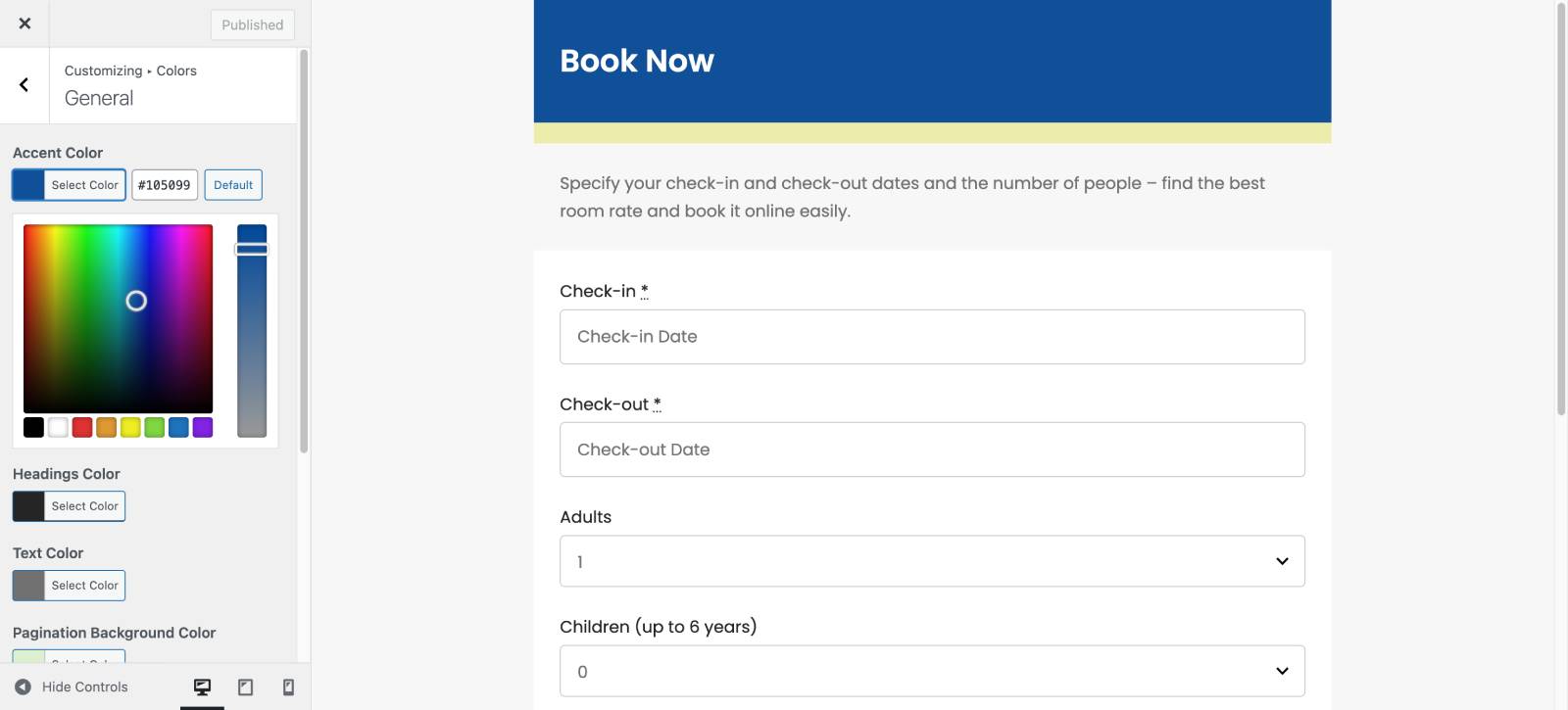
In other words, you keep the website you already like and add the hotel booking engine on top of it – either as a widget visible on every page or simply inserted into a separate page.
It also doesn’t really matter whether you already list your properties on Airbnb, Booking.com, Vrbo, or similar platforms. If you do, BNBForms can exchange availability with platforms that support iCal. If you don’t use OTAs at all, you can run your direct booking website independently and this is also a viable opinion.
I think the main limitation appears when you need advanced channel management (which is not the case if you don’t list your property on tons of sites). Let’s explain the details…
BNBForms uses iCal for external calendar synchronization, meaning it mainly exchanges availability rather than deeply synchronizing prices, restrictions, content, and other data across every OTA. If this kind of centralized distribution is essential to your business, you’ll probably need a dedicated channel manager or PMS alongside it.
Otherwise, the number of properties itself isn’t much of a concern: the pricing doesn’t increase simply because you add more properties or receive more bookings.
Best fit: You already have a website built with almost any website builder and want to turn it into a direct booking website without rebuilding everything (using embeddable widgets).
2. You don’t have a website – and you may not need one
You can also use BNBForms without building a website at all, even though this looks like a very uncommon scenario with BNBForms clients. But it’s working, just like on this example:
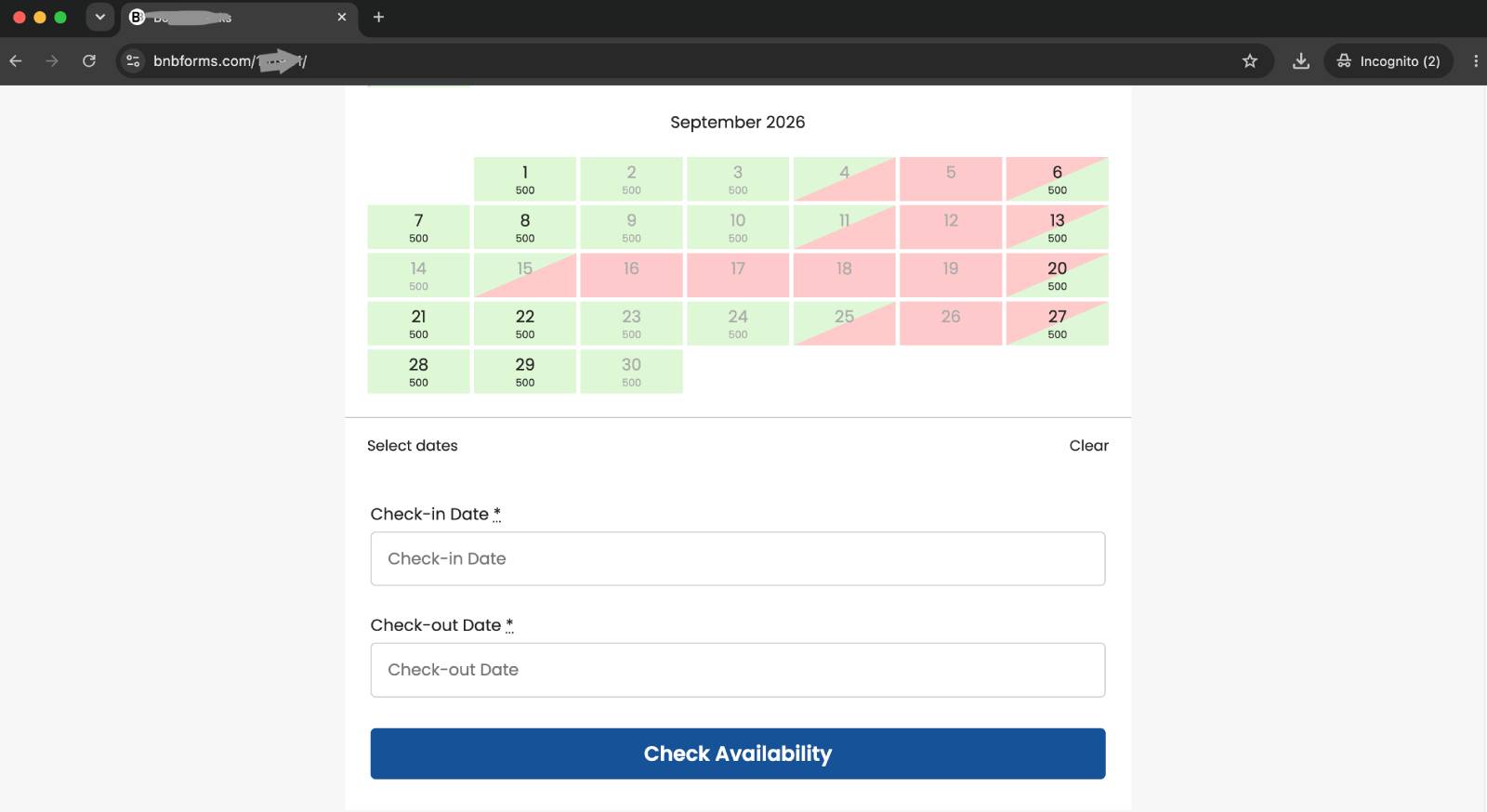
Let’s say you have one rental property, perhaps listed on one or two OTAs, and you don’t want to invest time or money into creating and maintaining a full website. You would still like to give guests a way to book directly and avoid OTA commissions when possible (especially many repeated guests ask for that).
In this case, you can configure the property, rates, availability, rules, and payments in BNBForms and use its hosted booking page (a link on the BNBForms site but for your very own booking calendar) instead of embedding the form anywhere.
So, with this option, you get a standalone link you can share through social media, WhatsApp, SMS, email, or directly with previous guests.
Naturally, a booking link alone isn’t a complete marketing strategy or branded booking experience for your guest – some may not even have trust in such (especially if online payments are involved). Still, it works well for repeat guests, referrals, social media followers, or people who have already discovered your property before and even had a personal touch with you.
For someone renting out one property, a room, or another accommodation as a side business, this can be much easier than creating an entire website just to provide a professional mobile-friendly booking experience.
Best fit: You want direct bookings but don’t want the commitment of running a separate website.
3. You’re a small property manager handling properties for different owners
BNBForms can also make sense for solo property managers and smaller property management companies.
For example, you could run your own branded property management website and accept direct reservations for accommodations belonging to different owners. Depending on how you organize the business, payments can go through your own payment account, or you can connect different payment accounts to different accommodations.
That gives smaller managers some flexibility in deciding how booking revenue should flow.
There is an important limitation, though: BNBForms isn’t a multi-owner PMS. There is no dedicated owner portal where every property owner gets a separate login to view only their reservations, financial statistics, rules, or reports.
So, if owner reporting, statements, permissions, and individual dashboards are central to your operation, search for bigger PMS to satisfy this need.
There’s another possible setup for property managers: managing completely separate websites for different clients. Each client can have their own website, booking engine, account, and setup. In that case, every separate BNBForms account would require its own subscription.
Why is this a nice option for smaller management businesses? I think it’s thanks to predictable software spending. With BNBForms, you’re not constantly recalculating costs based on booking volume or the number of properties inside one account.
Best fit: Small property managers who need flexible direct booking functionality, fixed software cost, but don’t require a sophisticated owner-management portal.
4. You’re a developer, designer, freelancer, or agency building property websites
As a developer or designer, you might already have your preferred website building stack. One client wants WordPress, another wants Squarespace, another has a custom site, while somebody else insists on using a particular template or builder. You might already have tools for all of them.
In that situation, you don’t necessarily want to learn a completely different booking system every time.
BNBForms gives you a relatively universal booking layer that can be embedded into different types of websites. You can build the website with the tool that makes sense for the project and handle accommodation booking functionality separately. If you already have experience with the BNBForms short-term rental booking software’s backend, building client sites won’t be a problem.
The 30-day free trial is also cool if you are just starting.
The trade-off is equally clear: BNBForms is not a website builder. It doesn’t give you a complete library of accommodation website templates or an all-in-one website design environment.
So, if you’re looking for one platform that builds the entire hotel or vacation rental website and provides the booking system at the same time, you’ll need another solution. If you already know how you want to build the website, I find this separation an advantage.
Best fit: Developers and agencies that want a reusable booking engine they can pair with different website building tools.
5. You already have OTAs and property management software, but want direct booking as another channel
BNBForms can also work as one more booking channel in an already established accommodation business. This will be your direct booking channel.
You might already have properties listed across Airbnb, Booking.com, Vrbo, and other OTAs. Perhaps you’re also using a PMS or channel manager and already have a well-organized system for managing reservations.
But you don’t want all your bookings coming through third-party platforms.
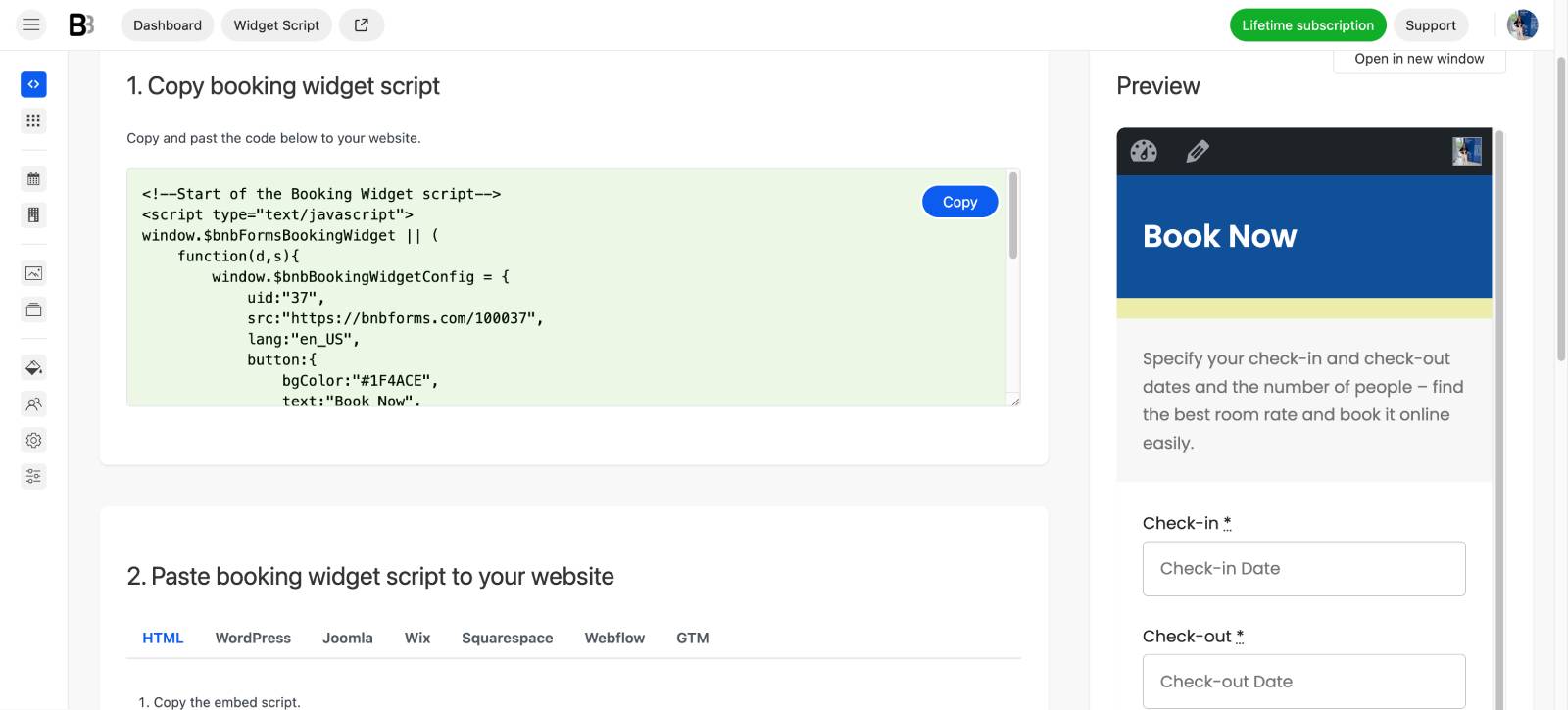
A direct booking website gives you another channel where you control yourself and where you don’t have to pay an OTA commission on every reservation.
In this scenario, BNBForms doesn’t necessarily need to replace your existing property management software. Instead, you can use it to power the direct booking side of the business, either through an embedded booking engine or a hosted booking page.
I would strongly prefer the dedicated website + embedded BNBForms approach here. A proper website gives you much more room for SEO, destination content, local guides, branded searches, and visibility through both traditional search engines and newer AI tools.
It also gives your business another basket for its eggs. OTAs can remain important distribution channels, while your own website may step by step develop into an independent source of reservations.
Just keep the synchronization limitation from scenario #1 in mind: if you expect BNBForms itself to become the central system synchronizing rates and every detail across numerous OTAs, that’s not really its role.
Best fit: Established hosts and property managers who want to add a lower-cost direct booking channel without replacing the rest of their existing software stack.
Payments and Property Rates in BNBForms
BNBForms gives you (and your guests) a real feeling of a secure direct booking engine.
Guests can pay directly through the booking process using multiple pre-integrated payment processors, including Stripe, PayPal, 2Checkout, Braintree, and Beanstream/Bambora. Direct bank transfer and pay-on-arrival workflows are also supported.
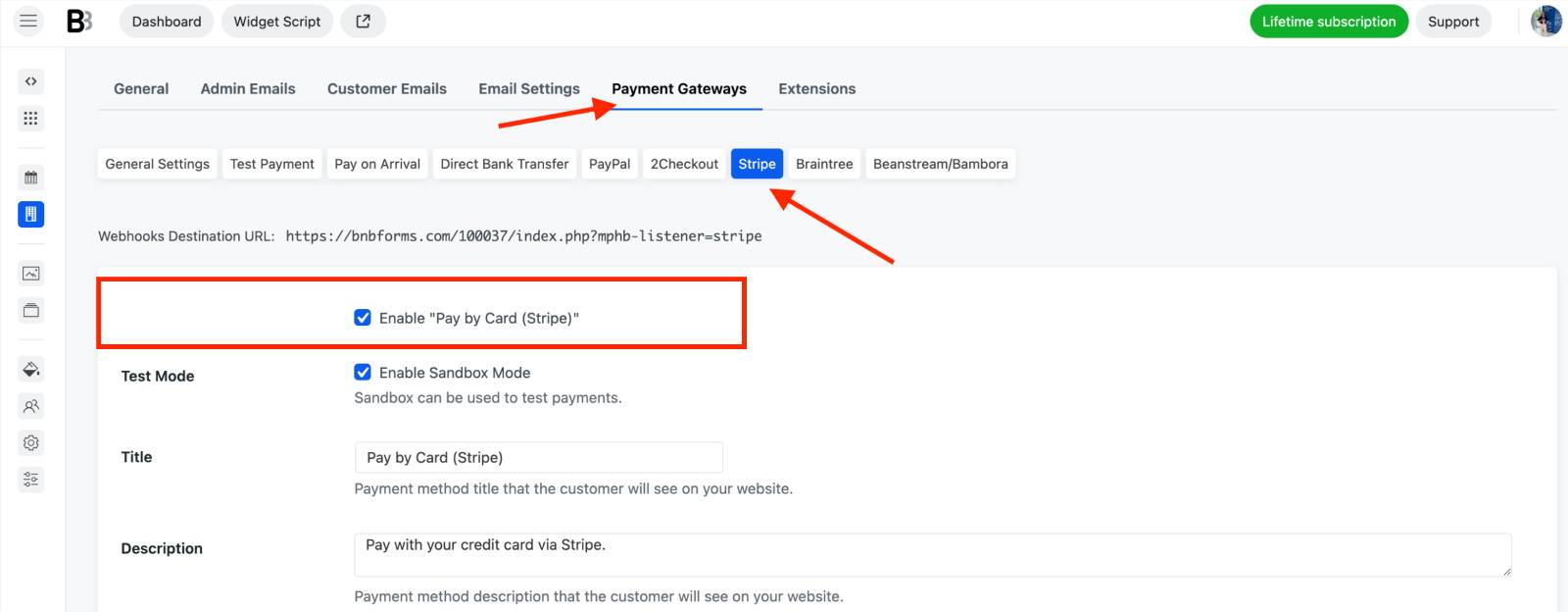
If you connect your Stripe account to BNBForms, you get dozens of processors. Depending on your Stripe setup and region, this can give guests access to additional local payment methods, wallets and in addition to standard card payments.
For test purposes like in my case, you can enable sanboxes to see how everything works.
BNBForms also supports a useful Stripe-powered option: Authorize & capture. You may not want to charge the guest immediately, you can authorize the amount on their card first and capture it later.
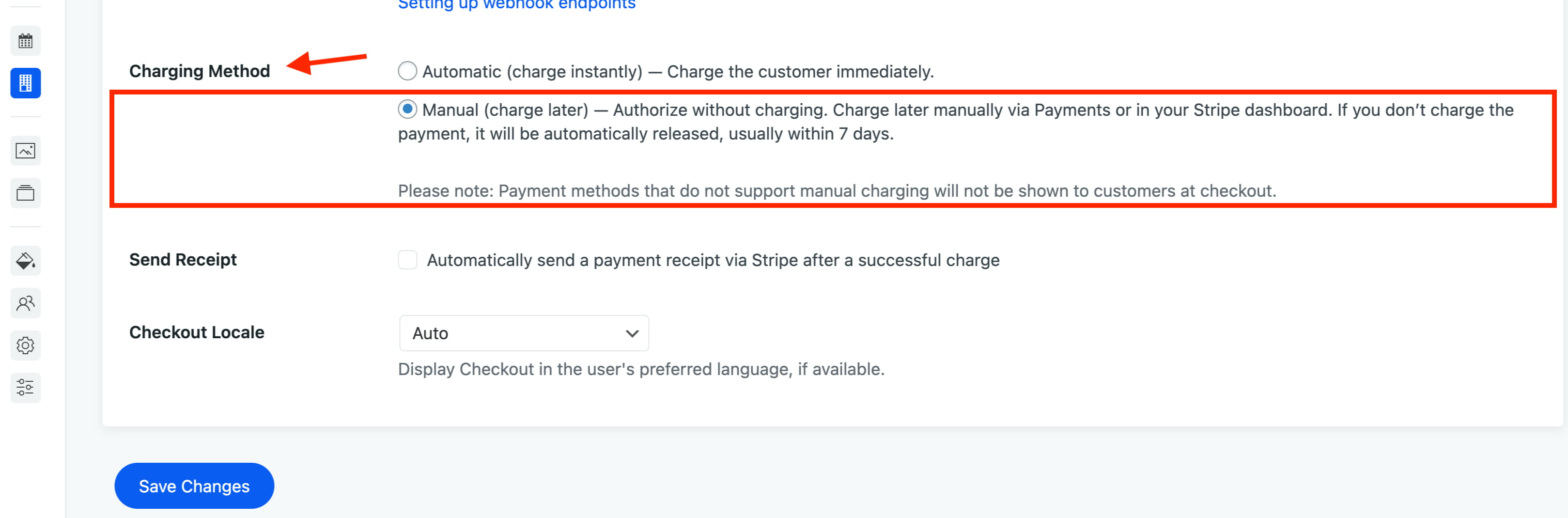
Works great when you want to manually double-check a reservation before actually taking the payment, or when you would rather release an authorization than process a charge and refund it afterward.
BNBForms also supports the more typical accommodation payment workflows:
- full prepayment.
- deposits.
- payment on arrival.
- invoices.
- automated requests for outstanding balances.
For example, you can collect only a deposit during checkout and automatically remind the guest to pay the remaining amount before arrival.
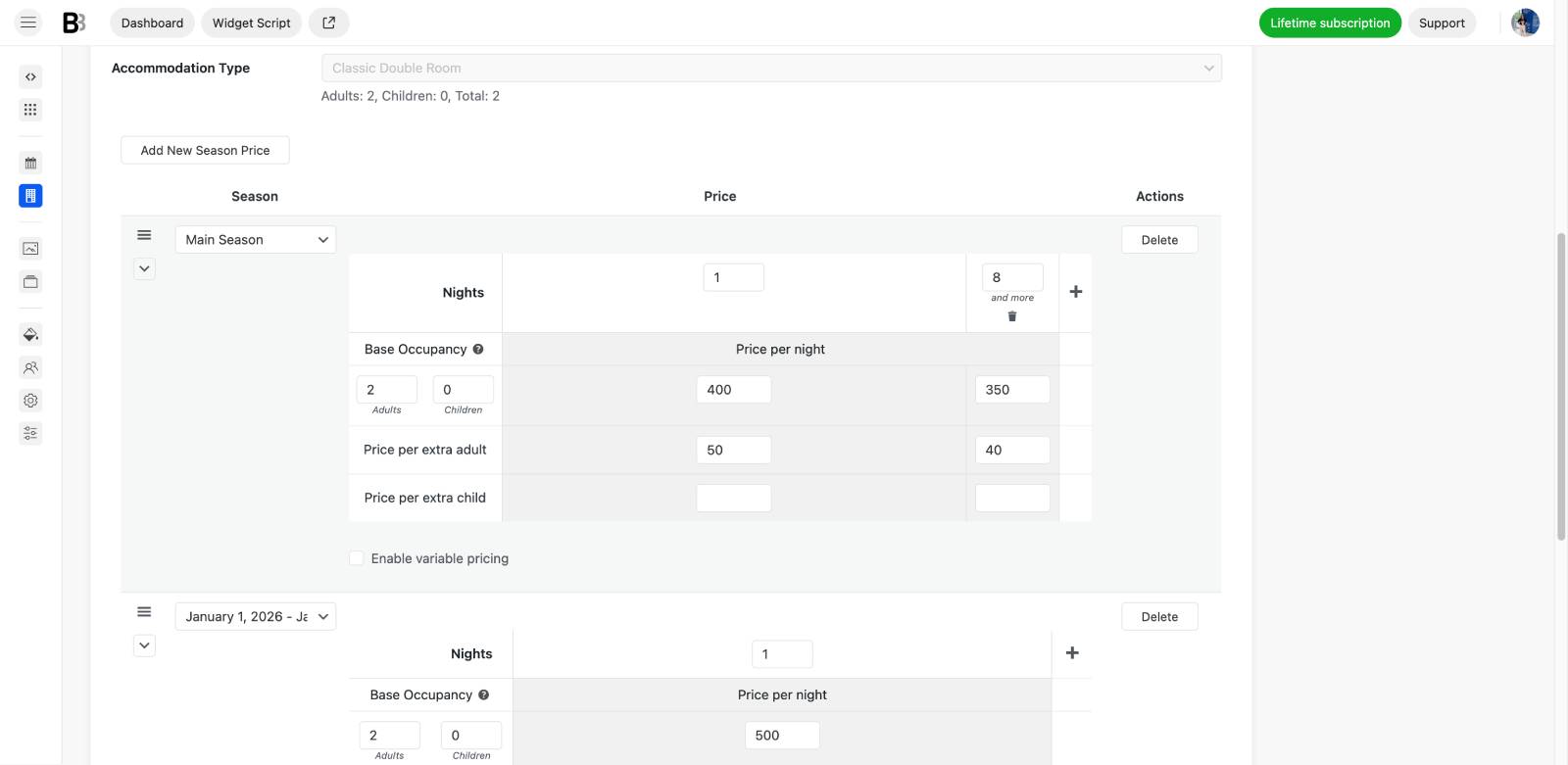
Rates can be as simple or as dynamic as you need
When you need to set rates and prices, BNBForms gives you quite a lot of flexibility here as well.
You can create different rates and base them on:
- the season or any custom period in the calendar;
- the number of guests;
- the length of stay;
- weekdays, weekends, or other date conditions;
- accommodation features or rate packages;
- extras and additional services;
- discounts, coupons, and promotional rules.
These pricing conditions can be combined so that the guest sees the appropriate rate automatically when searching for their dates.
As you can see from the main settings, you can also add taxes and fees and decide whether they should be included in the displayed accommodation price or added on top of it.
This can be reflected both in the accommodation listing and during checkout, so guests can see whether the price already includes taxes or whether additional charges will be added before payment.
Interestingly, you may even pass payment-processing fees on to the guest!
Since payment gateways may charge different transaction costs depending on the payment method, card type, country, or processor, you can choose to add that cost to the booking instead of absorbing it yourself. This can help you receive the full intended booking amount after payment processing costs and BNBForms lets you utilize this feature through automated tools.
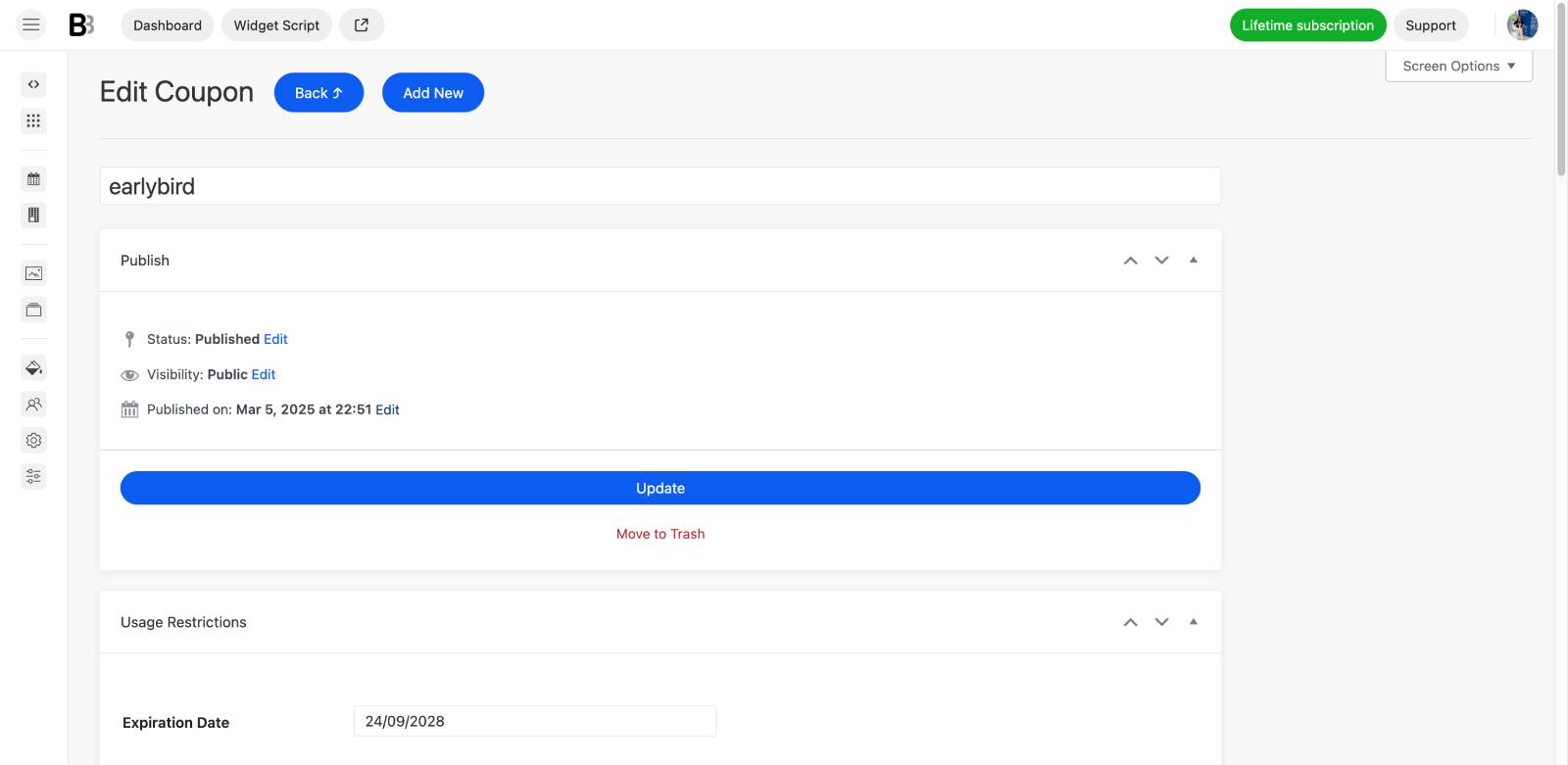
Discounts are flexible as well. You can create coupon codes and let guests apply them during the booking process, which is useful for promotions, returning guests or any offers you might have.
If you don’t want to maintain prices manually, BNBForms can also be connected to PriceLabs for dynamic pricing.
This works if you already use PriceLabs – it can calculate changing nightly rates based on its pricing strategy, while BNBForms uses those prices for direct reservations. But note that to use this, your properties should be listed on channels like Airbnb or Vrbo.
So, from the guest’s perspective, the whole process is an intuitive one booking flow:
- Check real-time availability, see the correct rate, see taxes and fees.
- Choose extras, apply a coupon if available, select the payment method.
- Pay a deposit or the full amount, receive confirmations and later payment requests if needed.
That is why I’d consider payments and pricing one of the strongest parts of BNBForms. It isn’t simply a form that collects a reservation request; it can handle much of the actual commercial side of turning an available night into a paid direct booking, and then even set up email marketing for it.
Availability Calendars and Search in BNBForms
Availability is at the center of any accommodation booking engine, and looks like BNBForms gives you several ways to present it to guests.
At the most basic level, guests can use a search form to check availability across all the properties you have added. Once an accommodation is booked, its dates are blocked according to your booking and payment settings. You can also block dates manually when a property should temporarily be unavailable and reopen them later.
External bookings can be reflected as well. If a property is booked through an OTA connected via iCal, those dates can be imported into BNBForms and blocked on your direct booking site too. The same availability data can therefore feed the search form, booking widget, and calendars rather than forcing you to maintain separate schedules manually.
Individual property availability calendars
Each accommodation can have its own visual availability calendar.
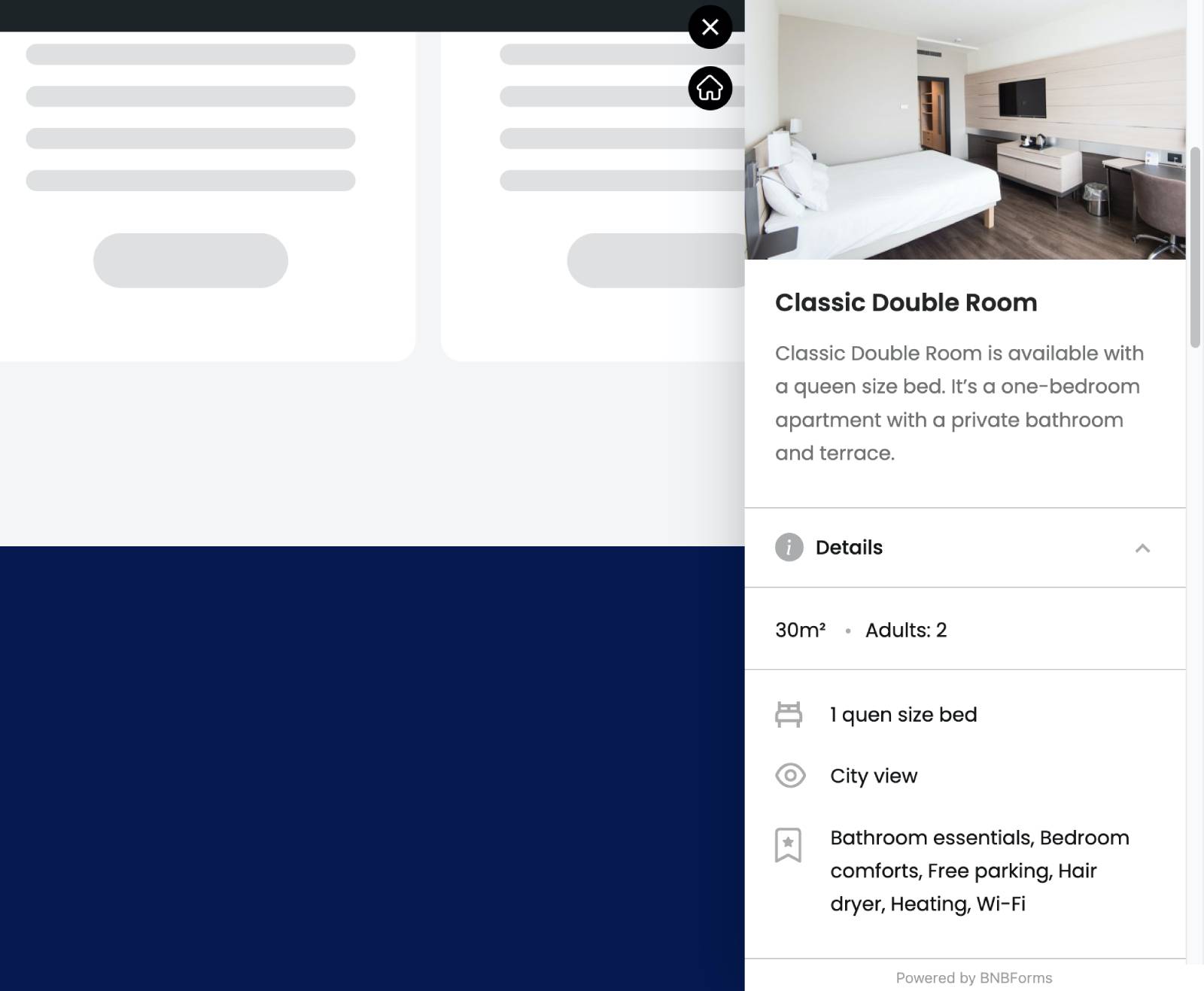
When guests browse your property directory, they can open an individual listing to see its images, amenities, description, other details, and a calendar showing which dates are available and unavailable.
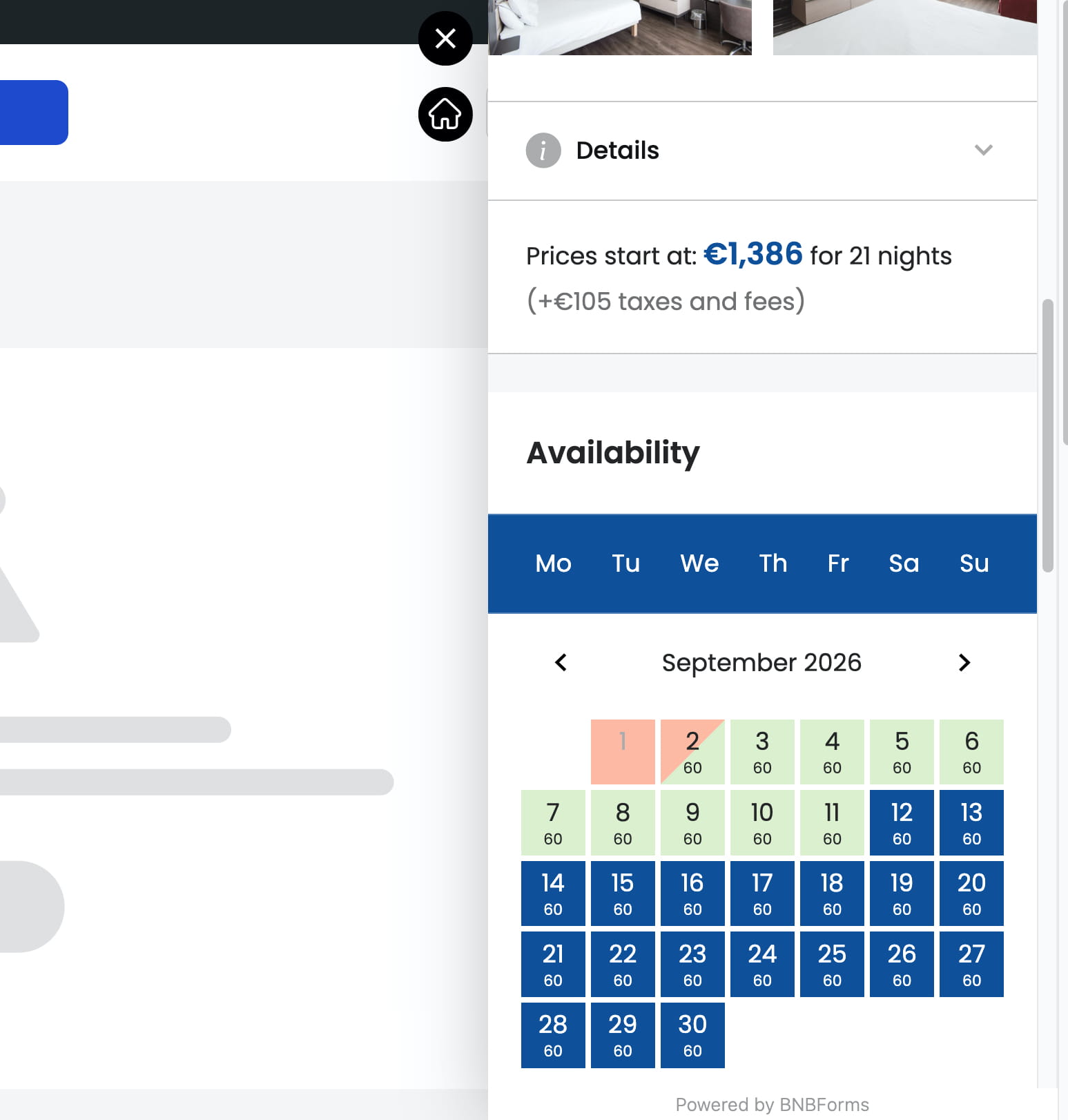
Available and booked periods are visually distinguished, making it much easier to understand when the property can actually be reserved.
A really cool option is that you can also optionally show daily prices directly inside the calendar. Like in this client site for a camping booking:
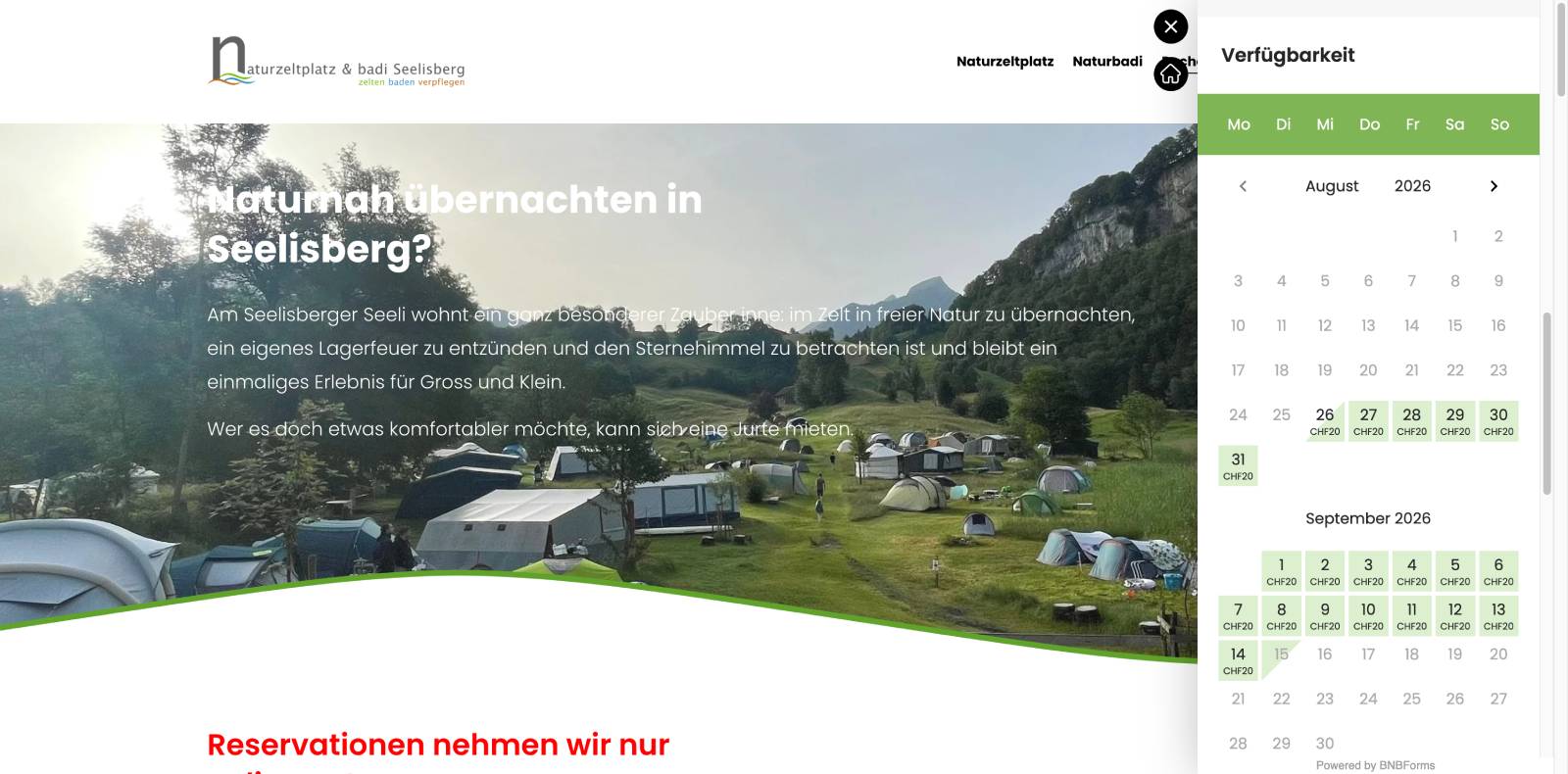
Your guests can see when your rates change by season, weekday, demand, or other pricing rules because guests can immediately see that one period is cheaper or more expensive than another.
One calendar for multiple properties
If you manage several accommodations, BNBForms can also display them together in a multi-property availability calendar.
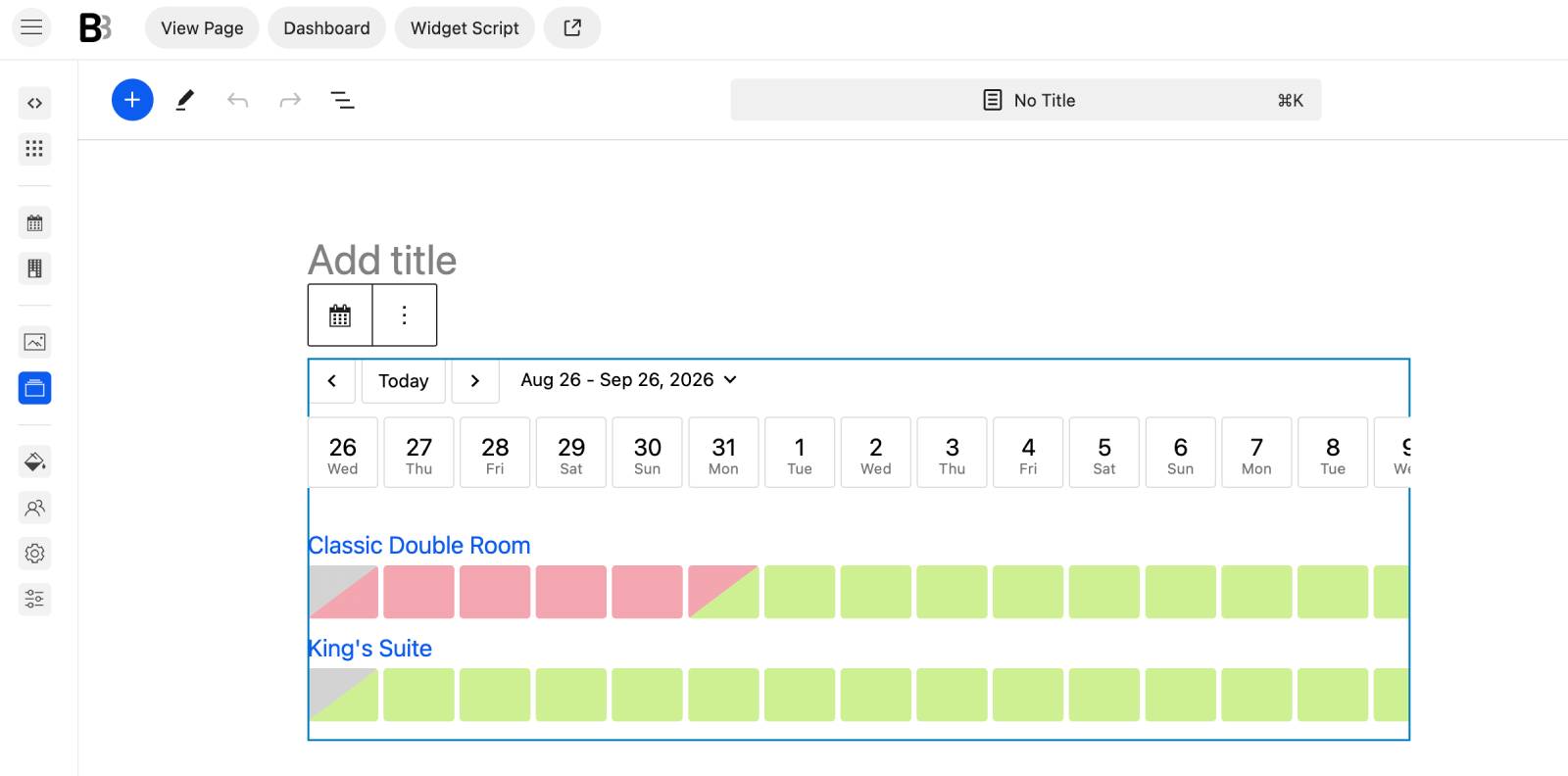
Instead of opening each property individually, guests see the accommodations listed alongside a date timeline, with occupied and available periods clearly marked.
This gives them a quick overview of questions such as:
- Which villas are available next weekend?
- Is another room free if my first choice is booked?
- Which properties have availability for the entire week?
- Where can I move my dates slightly and still find an available option?
You can even use this calendar-style view as an early step in the booking process rather than relying only on the traditional check-in/check-out search fields. It’s a very nice-to-have feature.
For accommodation businesses with several properties, this can make comparing availability considerably easier.
The search form itself is highly customizable
Before guests even reach those calendars, you can control how they search through your inventory.
The default search can be expanded with fields that make sense for your particular properties.
For example, you might allow guests to filter by location, pet-friendly accommodation, property features, or other relevant criteria instead of showing the same generic form to every business. This is done through the Attributes menu.
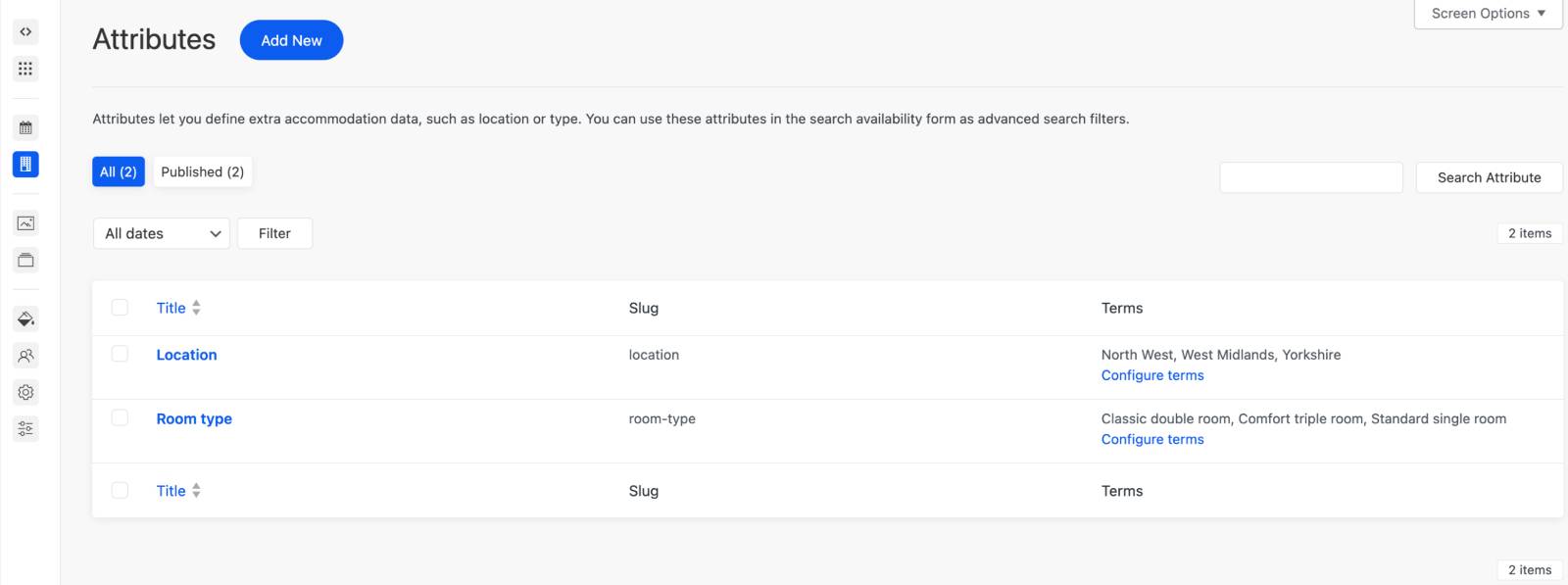
Default field labels can also be adjusted.
For instance, instead of asking separately for Adults and Children, you can simplify the form to one Guests field. Or, if distinguishing children is important for your pricing or occupancy rules, you can keep the separate field and specify what age qualifies as a child.
That makes the search form more than just a date picker. For businesses with larger or more varied inventories, it becomes the first filtering layer that helps guests narrow down which properties are actually suitable before checking individual availability.
Overall, BNBForms gives you several levels of availability display:
- search across all properties
- an individual calendar for each accommodation
- and a multi-property timeline view.
And because these calendars are connected to direct reservations, manual blocks, and iCal-synchronized external bookings, the availability guests see is tied directly to the booking system rather than being just a decorative calendar.
Property Management Back Office in BNBForms
So, what does managing properties and bookings actually look like once you log in to BNBForms?
After testing it, I found that BNBForms gives you a few different ways to work with reservations and day-to-day property management.
The simplest is the regular bookings list, where you can view existing reservations, add a booking manually, enter guest details, set dates, update booking information, and manage reservation statuses.
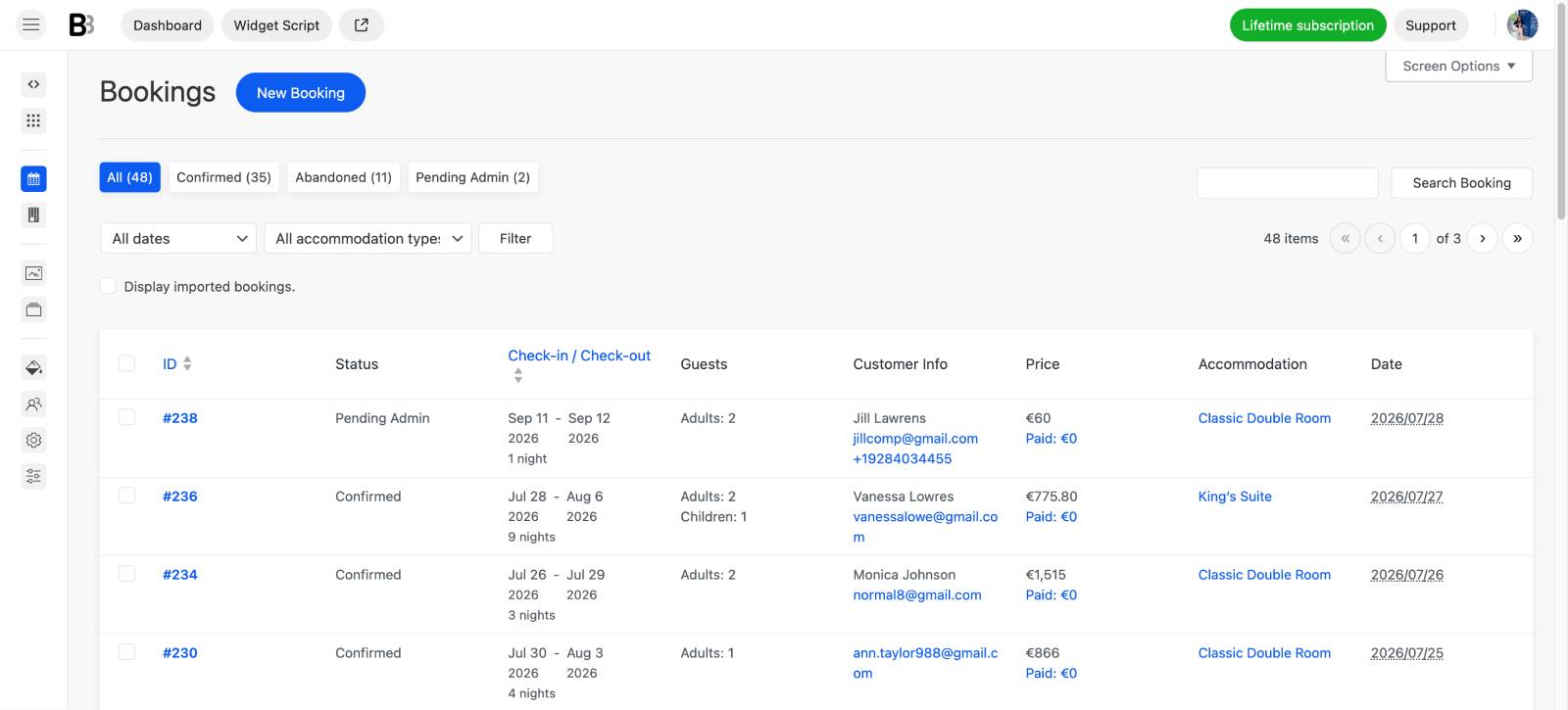
But the more interesting part is the centralized property management calendar and dashboard.
This gives you a much more visual way to control what is happening across your properties. You can see accommodations on a timeline, review bookings, and make many adjustments without jumping between multiple settings screens.
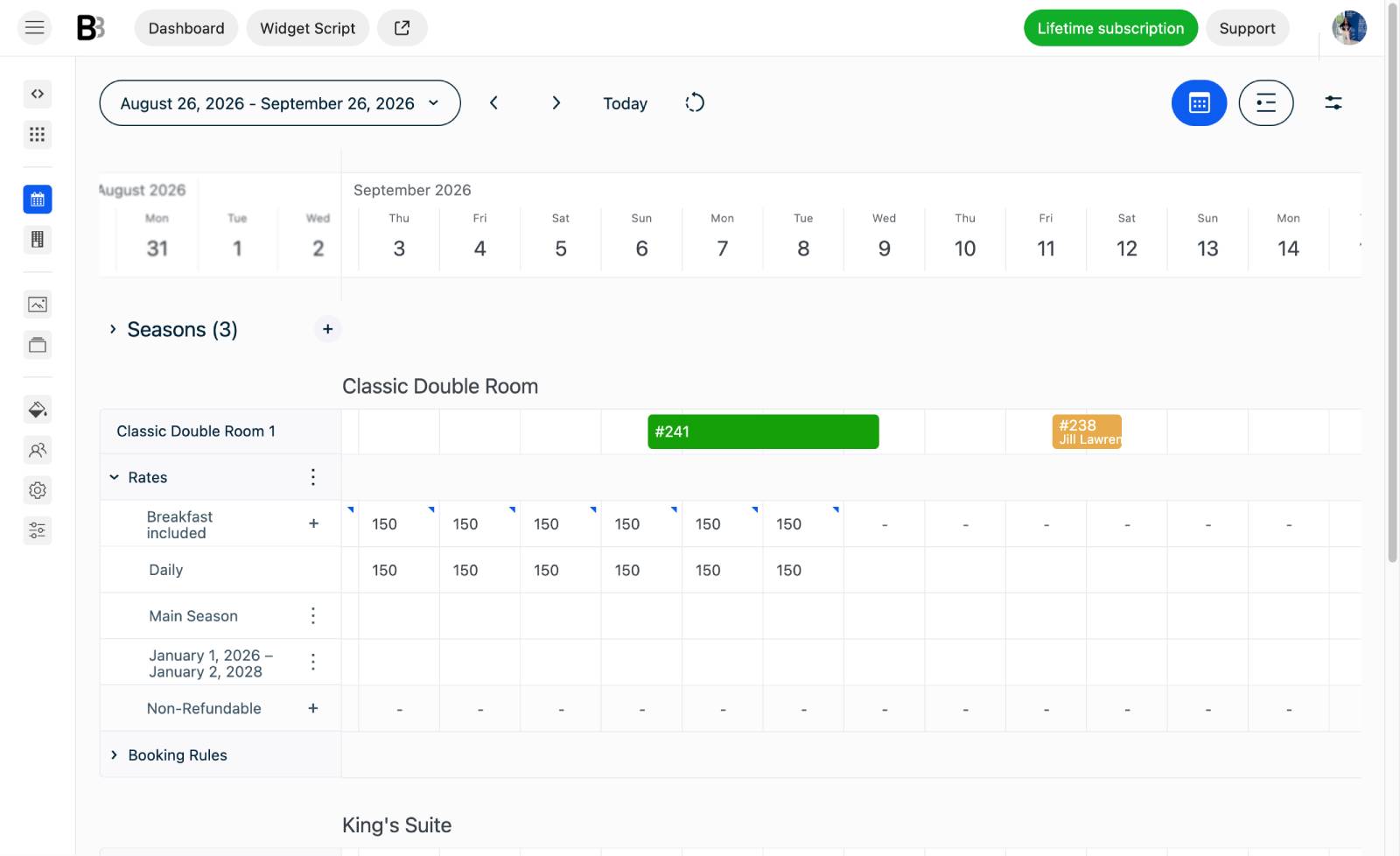
For example, you can:
- Adjust prices on the calendar. If you already have seasonal pricing but want to make a few specific dates cheaper or more expensive, you can select those dates and set custom daily prices.
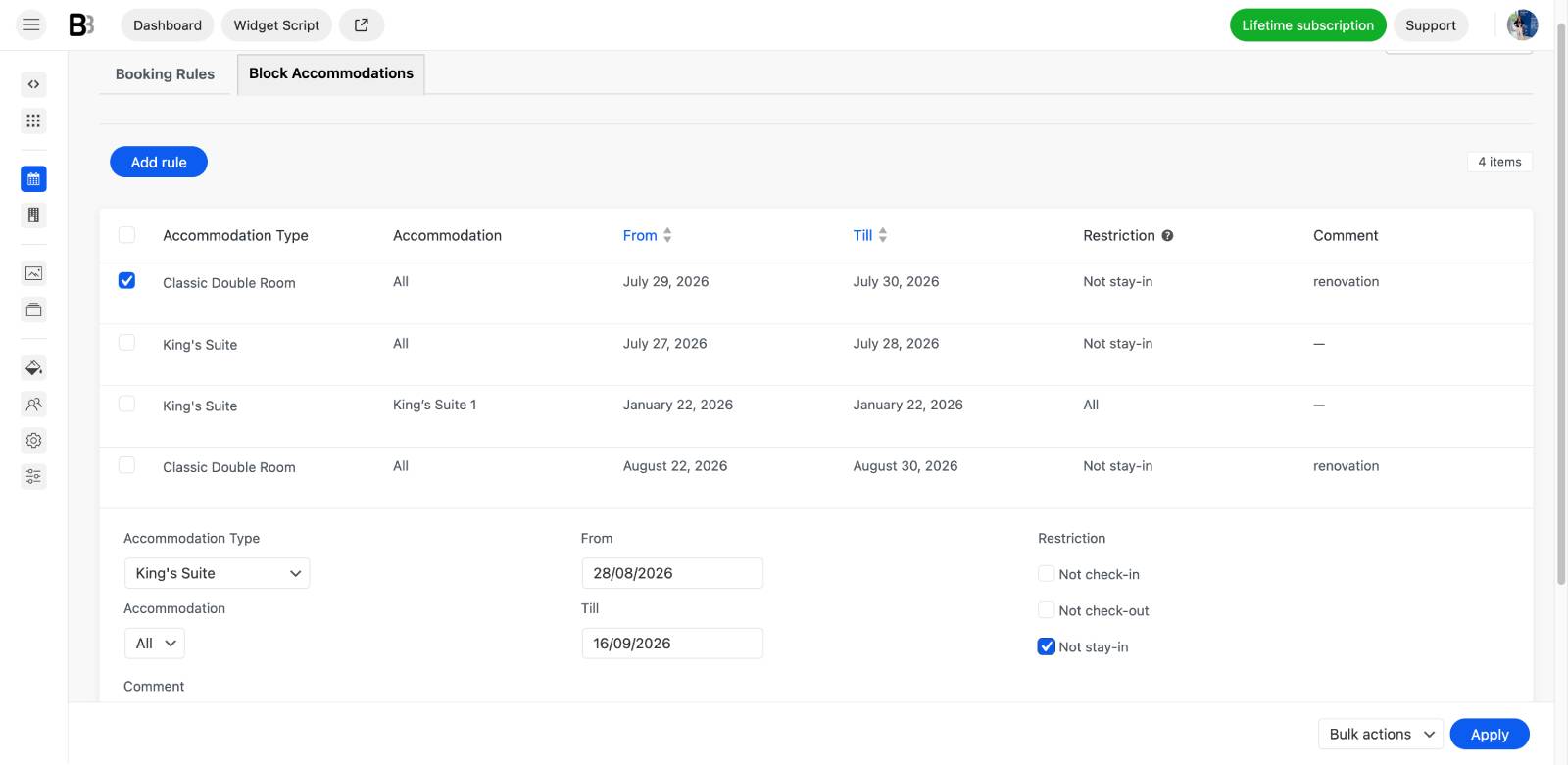
- Change booking rules using minimum and maximum stays, booking buffers, and advance reservation rules. Property availability can also be adjusted here.
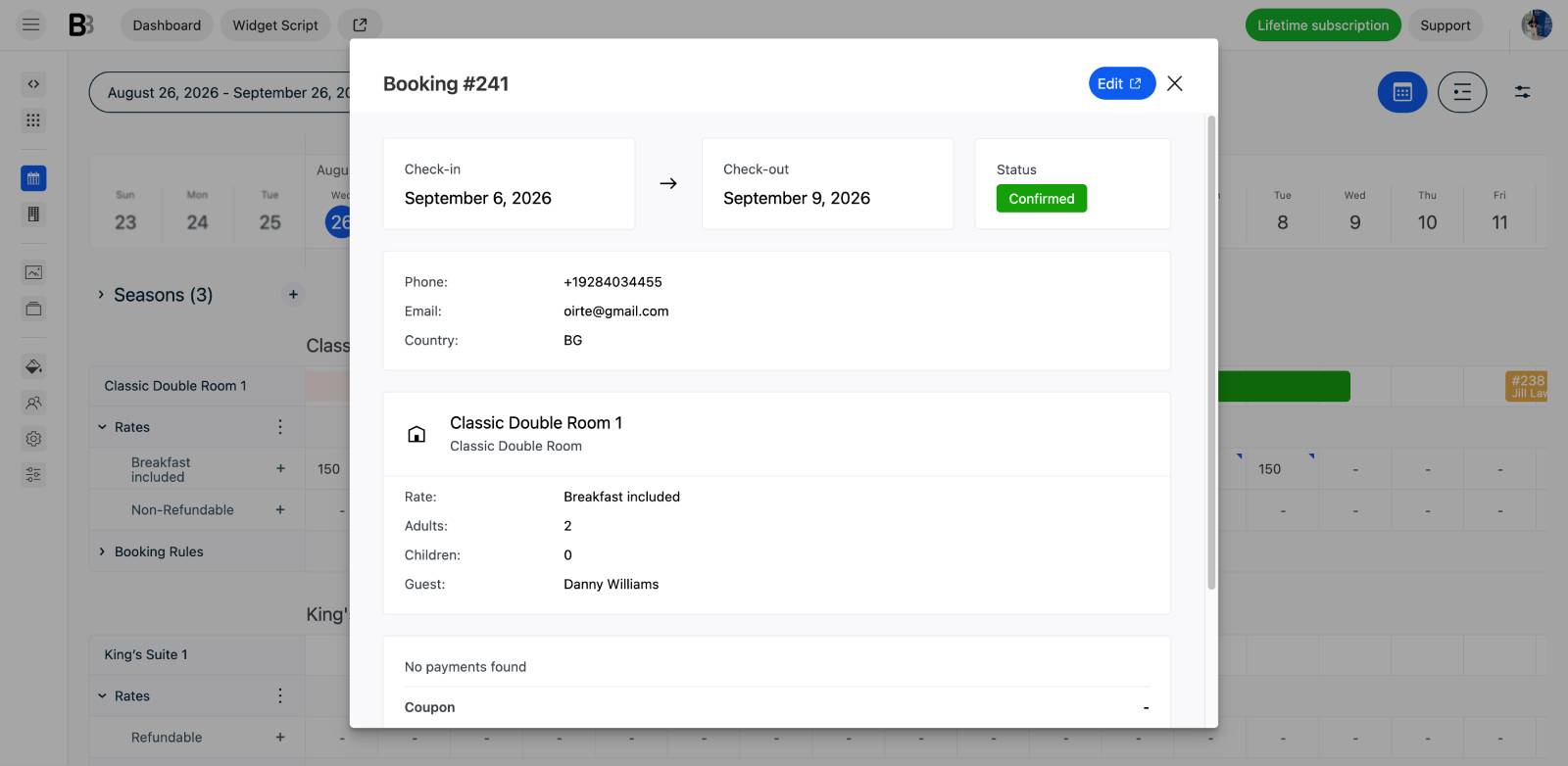
- You can create reservations, open existing bookings, edit details, or reschedule stays directly from the calendar timeline / management dashboard.
- See guest information quickly. Booking and guest details are accessible without having to search through a long reservation list.
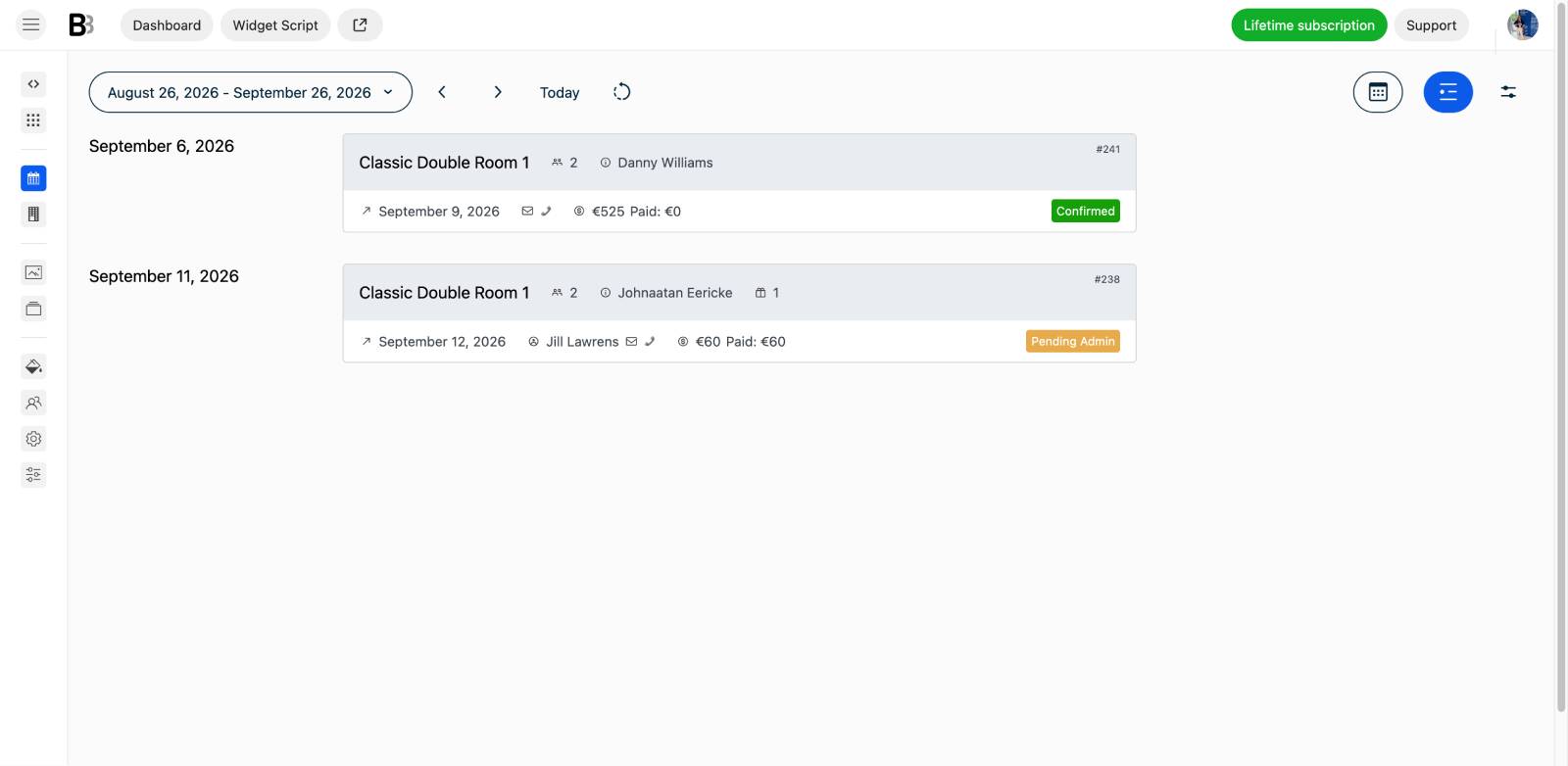
- Check what is happening right now. The dashboard can help you see who is currently staying at the property, who is arriving soon, and other reservations that need your attention.
The biggest advantage is simply having one large visual overview of your current situation.
Instead of managing pricing, availability, booking rules, and reservations as completely separate tasks, much of the everyday work can be handled from the same screen.
I also like that this approach scales visually quite well. If you only have one property, the calendar remains simple. If you manage 10 or 20, you can expand or collapse the information you need and still keep a useful overview of the portfolio.
So although BNBForms is not a full operational PMS, its back office does a good job of centralizing the things that matter most for direct bookings: reservations, guests, availability, rates, and booking rules.
For everyday management, that can save quite a lot of unnecessary clicking and make it much easier to understand what is happening across your properties at a glance.
How to Get Started with BNBForms
Getting started is pretty straightforward:
- Sign up for a free BNBForms account (no credit card is required).
- Customize your booking account by adding properties, amenities, extras, rates, booking rules, payments, and the look of your booking widget.
- Add the widget to your website using the generated embed code. Find your CMS (or just look for code embeds in your site builder).
- Manage bookings and properties from your BNBForms account, automate guest communication, control payments, and synchronize availability with Airbnb and other platforms via iCal.
If you don’t have a website, you can also use the BNBForms-hosted booking page instead of embedding the widget.
Final Thoughts after BNBForms Review: What It Does Best and What It Could Do Better
After testing BNBForms, creating a sample booking setup, and embedding it into my Framer website (you can have any), I think its strongest side is quite simple: as a booking engine, it does its main job very well. You get direct bookings without any commissions at all.
It is easy to embed, works with many website builders, and gives you enough flexibility to make it look good and work well.
You can customize the look, set up availability, rates, seasonal pricing, booking rules, extras, payments, and the rest of the things required for direct bookings.
Where BNBForms feels a little weaker is the back office. It is powerful, but not always perfectly intuitive. Some smaller settings, integrations, or very specific booking scenarios can take a little time to find. The dashboard could definitely benefit from some UX improvements and a clearer structure.
That said, this mostly affects how you configure the system, not what guests experience on your site. Once everything is set up, the actual booking engine can be very polished.
Another cool thing I haven’t seen much in similar SAAS solutions is pricing. BNBForms is unusually affordable compared with many short-term rental software platforms, especially because the price stays fixed instead of increasing with every additional property, booking, or guest.
For an independent host, a small property manager, or even a designer or agency building booking websites for clients, that predictability makes the software much easier to scale and budget for.
And perhaps the biggest benefit is how much of the booking process can simply run on its own.
I mean… a guest can discover your website, search real-time availability, browse properties and images, compare daily prices, choose dates and the number of guests, add extras, complete a booking, and pay online through the payment methods you enable. The confirmation goes out, the reservation is recorded, and the dates are blocked automatically.
With the workflow in place, you don’t need to manually participate in every booking. In the best-case setup, your main job is basically to prepare the property for arrival – or make sure the key is waiting in the lockbox.
It takes a relatively small booking widget and turns it into a complete direct booking workflow running behind your website.
There are still obvious areas where it could become much stronger. A more advanced API-based channel manager instead of primarily iCal synchronization would make it much more attractive to businesses heavily dependent on multiple OTAs. And even a small collection of ready-made website templates or basic site-building functionality could make it a more complete all-in-one option for people starting from zero.
But those are also features that would move BNBForms into a different category of software.
Right now, I think its value comes from being relatively focused: it gives you a capable, affordable direct booking engine and lets you choose the rest of your stack yourself.